
For iPhone, iPad and Mac
Your business processes, as chats.
Each department gets its own assistant, and every job its own chat. The assistant works in your own systems, as the person signed in, and waits for a tap before anything final.
In testing on TestFlight. Not on the App Store yet.

What stays true in every chat
-
One job per chat
A sale, an offer, a delivery: each is its own chat, finished when your systems confirm it.
-
Works as you
Every step runs in your own systems with the signed-in person's own access.
-
Secrets never reach the AI
Card numbers and passwords go through a secure form straight to your system.
-
A tap before anything final
A confirmation card shows the real data, and only a person's tap sends it.
Why
A screen for every process is a lot to learn.
Register, approvals, receiving: each has its own screen, its own menus and its own training. Screens drift from the systems behind them, and a general-purpose AI assistant can do anything, which is exactly what you can't govern one job at a time.
Streamliner is built for a new associate on their second day, at a busy counter, with a customer watching. They say what's happening; the assistant does the steps.
How it works
From setup to the counter in three steps.
-
Set it up once
Describe each department's streamline: which of your systems it uses, which steps wait for a tap, its name, color and welcome. Do it in the app's Library, with the Concierge, or with your own Claude.
-
Invite your people
They join from a link, sign in with an email code or Sign in with Apple, and see only the streamlines their access allows.
-
They say what's happening
One chat per job. The assistant does the steps in your systems, as them, shows each result as a card, and stops for a tap before anything final.
For organizations
Replace the screens. Keep the rules.
Streamliner puts a conversation where your register, approvals and receiving screens were. Your systems still decide what's allowed.
-
Your rules stay in your systems
Streamliner holds no business rules. If a person can't do something, neither can their assistant.
What the assistant can do -
One app for every department
Each streamline has its own name, color, icon, welcome and quick phrases, set by you, on iPhone, iPad and Mac.
Streamlines and chats -
Change it without an app update
Your setup is signed configuration, published from the Library on a device an owner approved.
Publishing from the app -
People and access in one place
Invite, change access levels, suspend or remove. See who can use what, and what changed in Activity.
Members -
Your own model key, your own bill
Add your organization's Anthropic key once. It is checked, stored encrypted and never shown again.
The Vault -
Scan, talk, attach
Scan barcodes and QR codes, talk instead of typing, and attach photos, scans and files.
Scanning
Not yet: sign-in through your company's identity provider, models other than Anthropic's Claude, and a web or Android app. Streamliner is the app your staff use; your systems connect through MCP servers you run, and the docs show how to build them.
See it
A working day at Meridian Jewelers.
Meridian is a made-up jewelry store built into the app, so anyone can try a whole day of sales, offers and deliveries with no account.
-
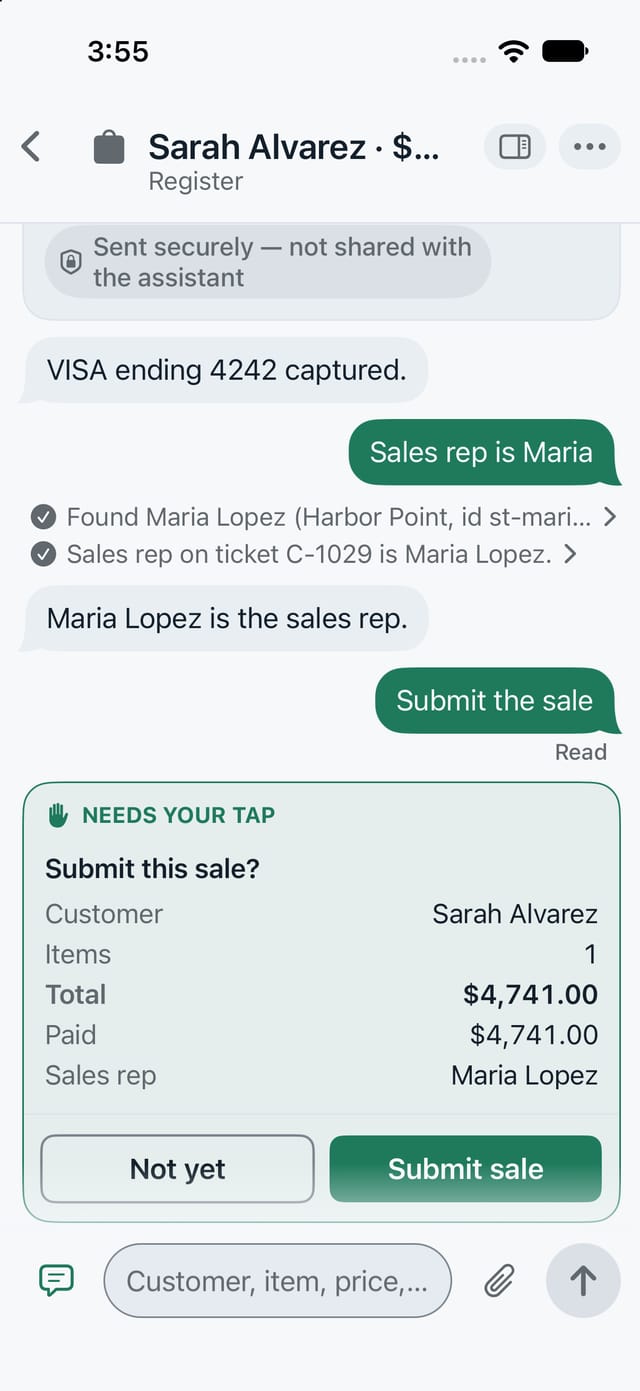
A tap before anything final The sale is ready. Nothing is sent until the associate taps Submit sale. Confirmation cards -
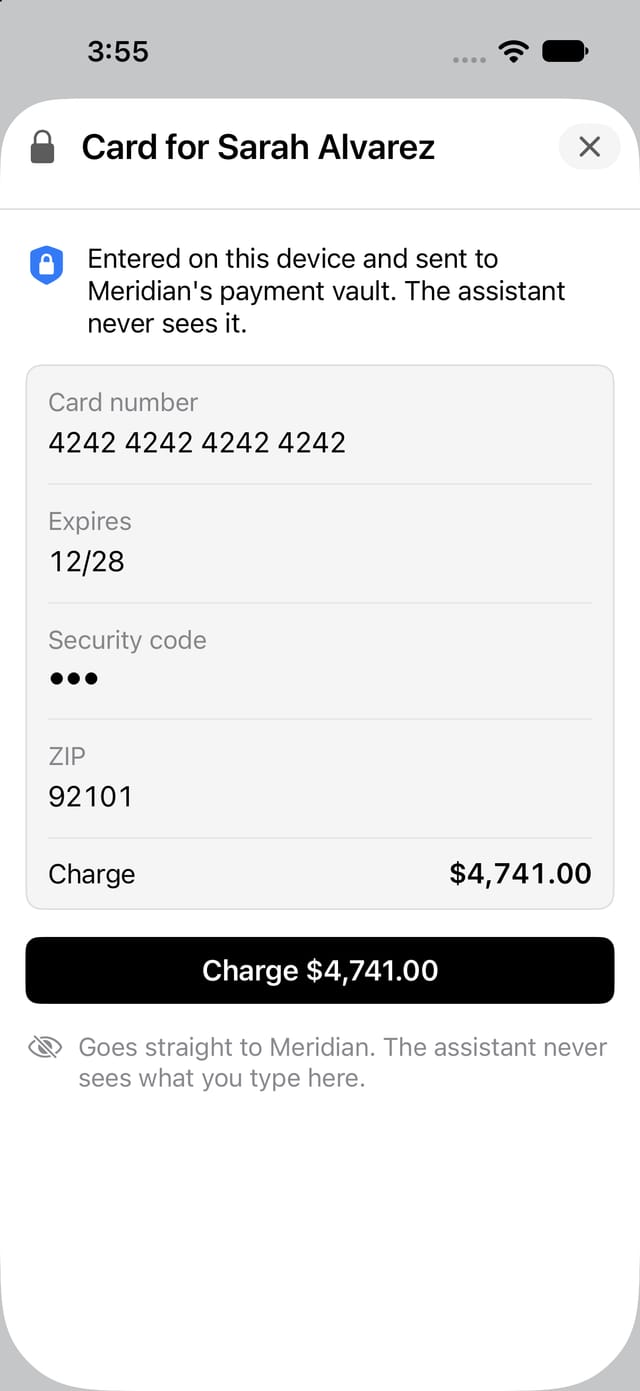
Secrets never reach the AI The card goes straight to Meridian's payment system. The assistant only learns that it was captured. Secure forms -
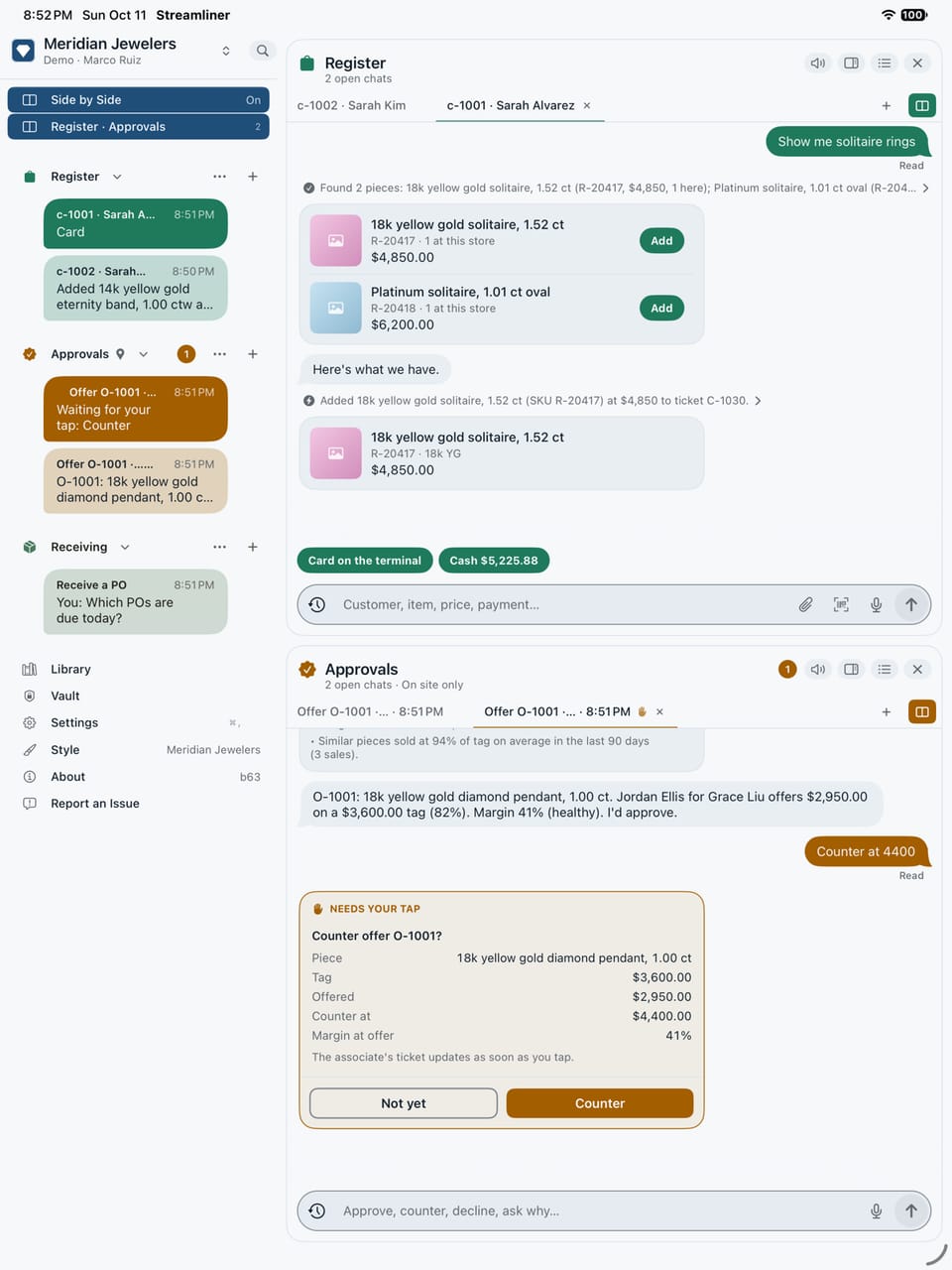
Every job its own chat Register and Approvals side by side on an iPad, each chat named after its job. On iPad and iPhone


For developers and IT
Your MCP servers, a native app for your staff.
Point Streamliner at the MCP servers you have, describe each department's job in a folder of JSON, and publish. No app to build.
-
Plain JSON, with schemas
Every configuration file has a JSON Schema, and a checker names the field and the fix.
The schemas -
Your API stays the rulebook
No service account and no rules of ours. Every call is the signed-in person's own, and your API decides.
Building MCP servers -
Let your Claude build it
The building-streamlines skill drafts, checks and dry-runs the setup with you, and publishes only on your yes.
The skill -
Ship a change, not an app
Streamlines are signed configuration. Change a tool, a card or a phrase, and people get it without an app update.
Publishing
For individuals
Your own tools, one job per chat. Free.
Use Streamliner on this device with your own MCP servers and your own Anthropic key. No account, nothing hosted.
Try a day at Meridian.
Join the TestFlight and open the Meridian demo: it works offline, with no account and no key.
Every build that reached testers is listed, with its date, on Releases. Releases